
I discovered that powershell can run xml transforms, like ones to make HTML pages from XML files. Below is a sample:
# PowerShell doesn’t always set the current directory path
[IO.Directory]::SetCurrentDirectory((Convert-Path (Get-Location -PSProvider Filesystem)))
# set the offset value
$utcOffset = read-host -Prompt “Please input UTC offset as a number -5 (for EST) -4 (EDT) -8 (PST) -7 (PDT)”
Write-Output “Going to process BXF*.xml in this directory with $utcOffset offset”
# false to document mode, true to allow c# scripts
$xlstSettings = New-Object System.Xml.Xsl.XsltSettings($false,$true)
$myXslCompiledTransform = New-Object System.Xml.Xsl.XslCompiledTransform
# The Resolver is dummy argument not used
$myXslCompiledTransform.Load(“PS_BXFAsRunToHtml.xsl”,$xlstSettings,(New-Object System.Xml.XmlUrlResolver))
# set up list to pass variables to the XSLT and using it for utcOffset
$xlstArgumentList = New-Object System.Xml.Xsl.XsltArgumentList
$xlstArgumentList.AddParam(“utcOffset”,””,$utcOffset)
# Getting all the BXF files in the current directory
#
$currentDir = (Convert-Path (Get-Location -PSProvider Filesystem))
Get-ChildItem $currentDir -Filter BXF*.xml |
Foreach-Object {
$baseFileName = $_.BaseName
$inputFile = $_.Name
Write-Output “Found $inputFile”
$outputFile = “$baseFileName.html”
# write out content
Write-Output “Creating $outputFile”
# Edit the create value to set your output file
$xmlWriter = [System.Xml.XmlWriter]::Create($outputFile)
# Edit the first function parameter to set the BXF file
$myXslCompiledTransform.Transform($inputFile,$xlstArgumentList,$xmlWriter)
# This shows the output in the browser
[Diagnostics.Process]::Start($outputFile)
$xmlwriter.Flush()
$xmlWriter.Close()
}
 Formatting EXFat Disks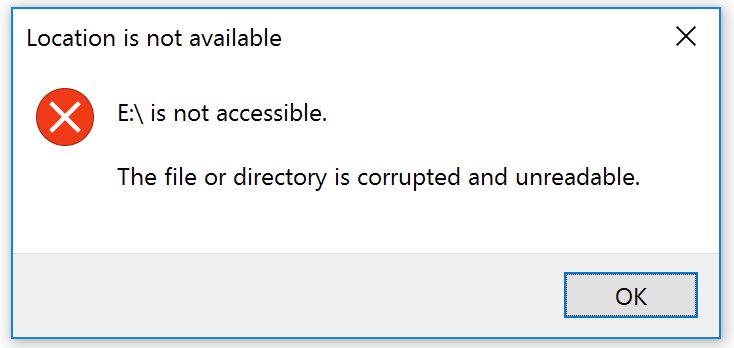


 ght, yes, bought music from the iTunes music store on my phone. Apple is making owning music very difficult for people who don’t want Apple’s streaming site. (I got in to Pandora first, and don’t want to try this new offering.) Most of my playlists are automatic, an example: play the all music I rated as 5 stars. I spent several minutes trying to find where the new iOS where to set the stars; when the new heart per song is clearly visible.


 Andrew Lochbaum's Blog