Windows DOS Command Shortcuts, which I Never Want to Forget

CmdIf you navigate in windows explorer to a folder and type “CMD” in the address bar then the command prompt will start in that folder.

You can copy the output of a command (like dir /b) directory to the clipboard with the “| Clip” command.

The “wmic” command is the console version of the Windows Management Instrumentation and can give text outputs like listing all programs loaded with their version numbers is: “wmic product get name,version”.

Power shell commands to deal with hidden files created with MacOS on SD cards are the following: ls -Force lists hidden files, Remove-Item ..Spotlight-V100 -Recurse -Force removes spotlight directory and Remove-Item ..fseventsd -Force -Rec removes the File Events directory.

Mac Networking Problems

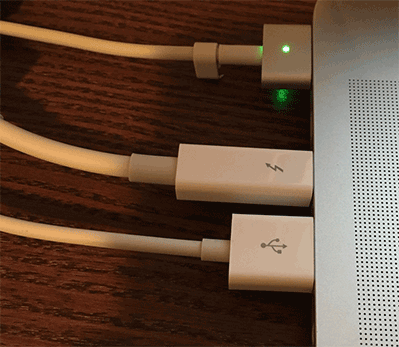
After getting a new Mac Book Pro, I have been trying to download gigabytes off my old Mac Book.

I had two problems with the Thunderbolt Ethernet adapter.  First it seems to stop working if the CPU goes in to less power state.  Secondly, in trying to get the file transfer to use the faster speed, I disabled the WiFi in the network preferences.  This worked for a little bit then stopped.  Using Sierra (10.12) this adapter showed disconnected in the network settings, until I re-added the WiFi network settings.  While it showed disconnected the router showed connection lights and the Thunderbolt to Gigabit Ethernet Adapter showed up in the system report.

Even with the new Mac OS Sierra (10.12) the copy only uses one of the connected interfaces and never searches for a faster connection, or fails over in the event of a problem with one network interface.  This makes copying gigabytes of virtual machines difficult.

New Macbook Pro, Old Widgets

I got a new Macbook Pro computer, with Sierra installed.  Widgets weren’t instantly there because Dashboard (the Widget running program) wasn’t enabled.  When I enabled it and I tried to add my favorite Timecode calculator, the download link was broken.

So I copied my user/Library/Widgets directory from my old mac, and the old Timecode calculator widget was now an option.  (I still had to place it to the screen.)

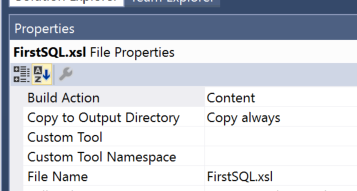
XLS Transforms of XML Pages Can Be Run in Powershell

I discovered that powershell can run xml transforms, like ones to make HTML pages from XML files.  Below is a sample:

# PowerShell doesn’t always set the current directory path
[IO.Directory]::SetCurrentDirectory((Convert-Path (Get-Location -PSProvider Filesystem)))

# set the offset value
$utcOffset = read-host -Prompt “Please input UTC offset as a number -5 (for EST) -4 (EDT) -8 (PST) -7 (PDT)”
Write-Output “Going to process BXF*.xml in this directory with $utcOffset offset”

# false to document mode, true to allow c# scripts
$xlstSettings = New-Object System.Xml.Xsl.XsltSettings($false,$true)

$myXslCompiledTransform = New-Object System.Xml.Xsl.XslCompiledTransform
# The Resolver is dummy argument not used
$myXslCompiledTransform.Load(“PS_BXFAsRunToHtml.xsl”,$xlstSettings,(New-Object System.Xml.XmlUrlResolver))

# set up list to pass variables to the XSLT and using it for utcOffset
$xlstArgumentList = New-Object System.Xml.Xsl.XsltArgumentList
$xlstArgumentList.AddParam(“utcOffset”,””,$utcOffset)

# Getting all the BXF files in the current directory
#
$currentDir = (Convert-Path (Get-Location -PSProvider Filesystem))
Get-ChildItem $currentDir -Filter BXF*.xml |
Foreach-Object {
$baseFileName = $_.BaseName
$inputFile = $_.Name
Write-Output “Found $inputFile”
$outputFile = “$baseFileName.html”
# write out content
Write-Output “Creating $outputFile”

# Edit the create value to set your output file
$xmlWriter = [System.Xml.XmlWriter]::Create($outputFile)
# Edit the first function parameter to set the BXF file
$myXslCompiledTransform.Transform($inputFile,$xlstArgumentList,$xmlWriter)
# This shows the output in the browser
[Diagnostics.Process]::Start($outputFile)
$xmlwriter.Flush()

$xmlWriter.Close()
}

A Few Mac OS X Tips

jellyAppleFormatting EXFat Disks
When formatting a disk in EXfat with the Mac, I found that format is only compatible with windows if you use the “Master Boot Record” setting.

Fonts Needed for Word Compatibility with Pages
Calibri font and Cambria are downloaded as a mac install from this web site: http://www.rmtweb.co.uk/calibri-and-cambria-fonts-for-mac

Adding Keyboard Shortcuts for Sub Menu Items
Later versions you can use “->” phrase to enter sub menu items.  An example is “File->Export To->PDF…” for pages to have short for create PDF. The older versions of the operating system used just the “-“ hyphen character.

Adding Keyboard Shortcuts for  Apple Symbol Menu Items
This can still be used on application by application basis. Just consider it as root menu item, example “Location->Automatic”.

Creating Image Preview Icons for .FLV and Other Files
Alternatively, if you have Homebrew installed, you can install using Homebrew Cask:
brew cask install qlvideo
More information on the following web page:
https://github.com/Marginal/QLVideo

Writing to NTFS Disk
Install NTFS-3G from Homebrew by opening a Terminal and entering the following command.
brew install homebrew/fuse/ntfs-3g
More information on the following web page:
https://github.com/osxfuse/osxfuse/wiki/NTFS-3G

Windows 10 NTFS Problems with External SSD

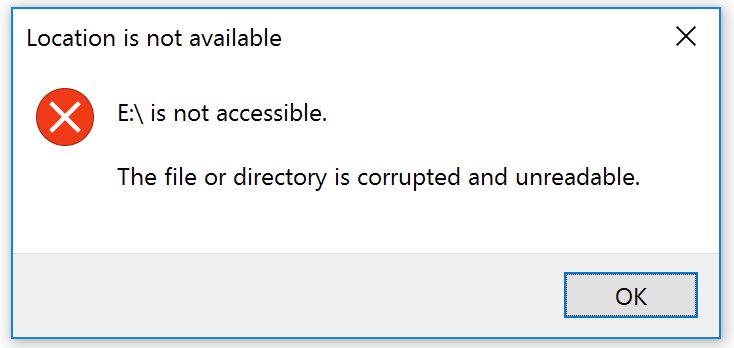
Drive Corruption ErrorI don’t know the cause of NTFS corruption of my external SSD, in my new “Windows 10” 2-in-1 PC.  Other comment posts seem to link the issue to the file system and the “Fast Startup” power option.  (This change to the PC shutdown, is basically just is old hibernate mode used x menu optionsall the time.)  I find this interconnection hard to believe, to an external non-bootup drive.

The fix I found for this was running “chkdsk /f e:” from the new “Command Prompt (Admin)” command found after hitting the Windows Key and x at the same time.